
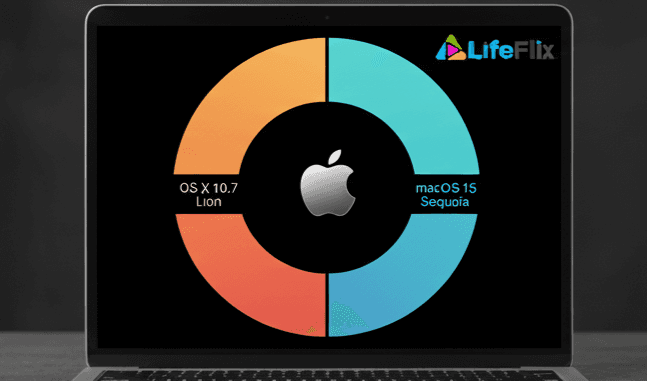
LifeFlix now supports the following:
DV Importing (FireWire-based camcorder and tape capture):
- Supported on macOS 10.7 Lion through macOS 15.7 Sequoia (released September 15, 2024).
- macOS 16 (Tahoe) does not support FireWire. As a result, DV importing will not work on Tahoe or newer versions.
LifeFlix Library (media management and editing):
- Runs smoothly on the latest macOS versions, including macOS 16 Tahoe.
- Library features such as video trimming, combining, organizing, and exporting remain fully functional on all supported Macs.
Why this matters:
- Ensures Smooth Performance: Running LifeFlix on a supported Mac OS version prevents crashes, slowdowns, or unexpected errors.
- Access to Full Features: All video and photo editing tools, AI enhancements, and cloud integration work correctly only on supported Mac OS versions.
- Security and Stability: Supported Mac OS versions receive the latest security patches, keeping your LifeFlix projects safe.
- Optimized Media Management: Proper compatibility ensures efficient handling of large video and photo libraries without storage issues.
- Future Updates: Staying within the supported range ensures compatibility with future LifeFlix releases and features.
Learn more about compatibility and download options here: LifeFlix Buy Now
Most Popular
Join Our LifeFlix Community
Enter Your Email Address to Sign Up for Exclusive Updates!
Own your
memories
forever
withLifeFlix!
Related Guides
What's Coming Next: A Look at LifeFlix Upcoming Features
Discover LifeFlix's upcoming features from AI tagging tools and duplicate detection to face recognition, scene detection, smart highlights, and AI met...
Read More ➜
Inside LifeFlix Today: A Deep Dive Into Current Features
A detailed look at every current LifeFlix V5 feature from tape digitization and video editing tools to AI tagging, photo editor for Mac, metadata edit...
Read More ➜
