
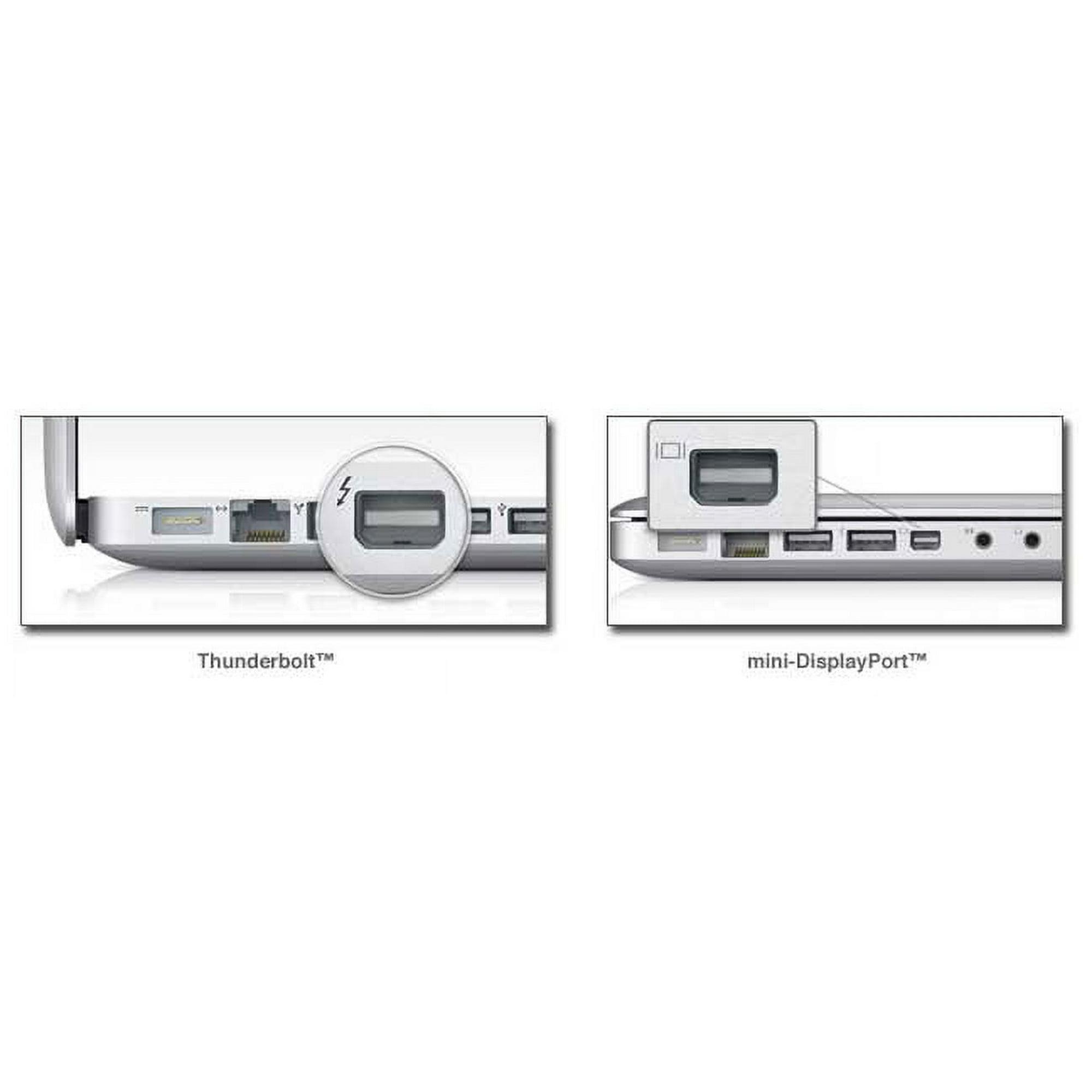
LifeFlix v3.6 requires MacOS 10.7 Lion or above. LifeFlix v3.6 is also natively compatible with Silicon Mac devices.
Required hardware:
- Mac device with a Thunderbolt 2 port or USB-C Thunderbolt 3 port.
- Analog tape device with a DV port.
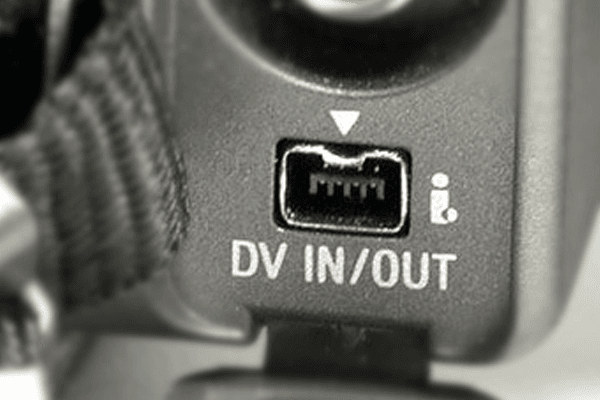
LifeFlix v3.6 can archive footage from most devices, especially if those devices have a DV port available. The most common devices are camcorders, but tape players may work as well.
All major device models may be compatible. We have done testing with all major brands such as Panasonic, Canon, Sony, and JVC.
Note:
- LifeFlix v3.6 is not currently available à la carte for purchase, however every purchase of the latest available version of LifeFlix will be provided with a complimentary license of LifeFlix v3.6 at no additional cost.
- There is a vast array of analog tape devices that were manufactured and every single model was not tested by our team, so there are outliers that exist that may not be compatible with LifeFlix v3.6. If you have a camcorder device that is failing to connect, please contact our support team and provide your MacOS version, Mac device model, and tape device model in the ticket details.
Important!
There are many possible MacOS and Mac device pairings that may exist and not all environments have been tested. If you happen across any issues and are uncertain of compatibility, please contact our support team and provide your MacOS version and Mac device model in the ticket details.
Analog tape devices were manufactured decades ago and have traded hands in the second market. Natural wear and tear and even potential damage is expected and these conditions may prevent a device from successfully being detected by LifeFlix v3.6.
Start your media management journey today!
Subscribe to lifeflix.com
Most Popular
Join Our LifeFlix Community
Enter Your Email Address to Sign Up for Exclusive Updates!
Own your
memories
forever
withLifeFlix!
Related Guides
Exporting to NAS
Exporting to NAS - How to export your digitised footage directly to a NAS drive. Covers mounting, connection types, recommended devices, and best prac...
Read More ➜
End of Tape Marker Explained
End of Tape Marker Explained - LifeFlix stopped and said end of tape. Here is what that marker means, when it appears early, and what to do about it.
Read More ➜