
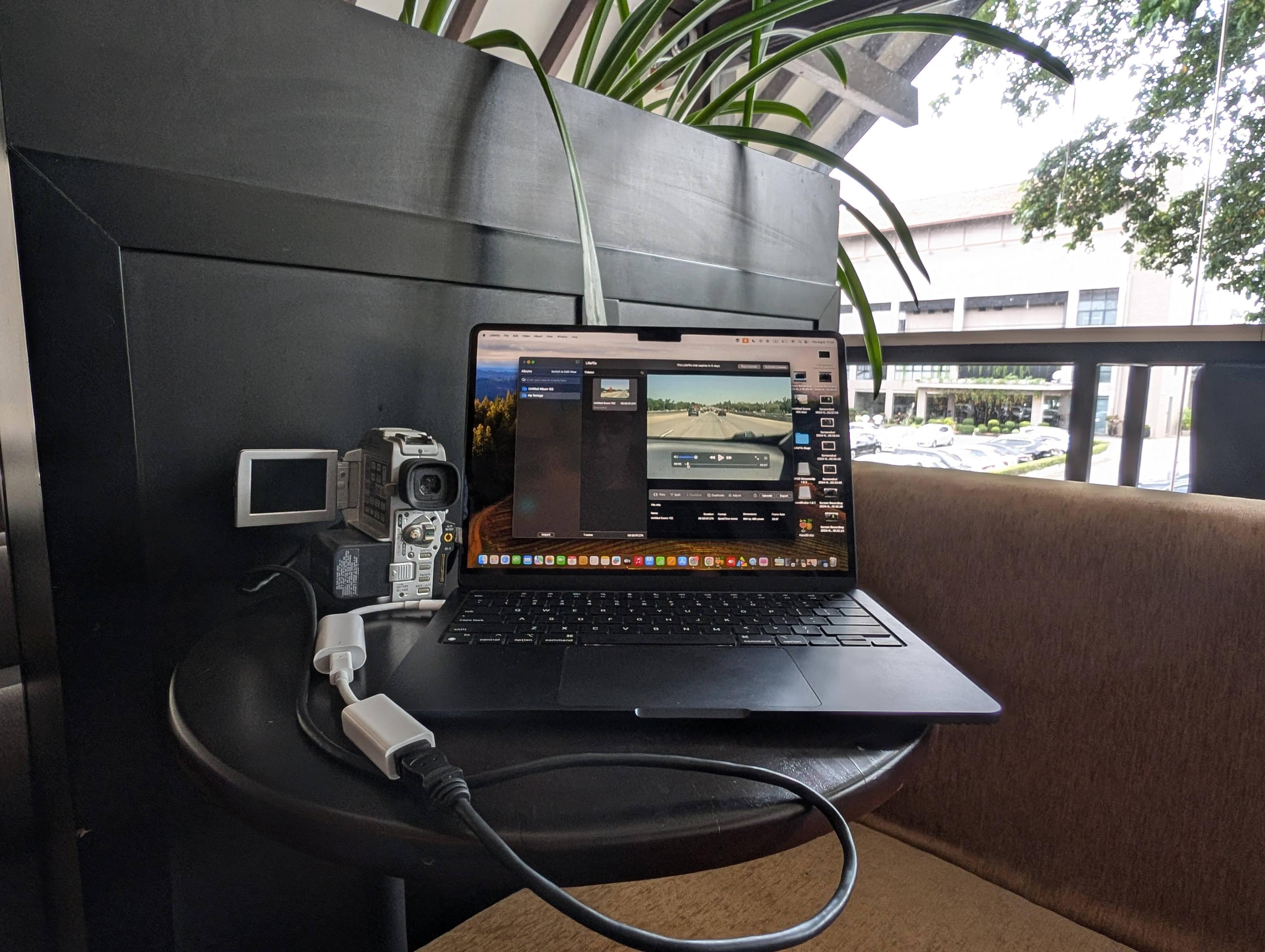
Play tapes easily or digitize with LifeFlix for better quality & easy access.
1. Start with figuring out what your tape is-whether VHS, 8mm, MiniDV etc
2. Make sure the tapes are cleaned before you try to play them. Will help prevent and damage and makes for a smoother play. Use a soft cloth and a tape cleaner if you have one
3. Depending on the type of tape you have, you’d need your corresponding camcorder, cables to connect it to your display
4. Press play
The above steps would be for watching the tapes as they are, noise and colour issues included. Not really the best way to watch them. Digitising them with a digitisation software and then fixing them with a restoration software is the ideal way to go. Makes watching the tapes easier because they’re digitised and available to watch without having to set up everything, acts as a backup in case the tapes get damaged. No cons to it really.
As for the digitisation software, there are a bunch available but not many that are both a good digitisation software and a restoration software, let alone good at both. The list narrows further if you’re looking for good but affordable, fantastic output but easy to use. A quick google search would give you the same answer so let’s save everyone some time- the software you’ll need is LifeFlix. Ticks all the boxes. Tic tac toe- a winner! Sorry, bad joke.
As for how to get started with LifeFlix- download, open and follow instructions. Easy. No fuss. Hit any snags? Check the LifeFlix website and reach out to their stellar support team- they’ll fix any issue.
Get Lifeflix Today!
Most Popular
Join Our LifeFlix Community
Enter Your Email Address to Sign Up for Exclusive Updates!
Related Blogs

About Oraphaned Media On LifeFlix Library
Learn how LifeFlix Library prevents lost footage with its Orphaned Media system, ensuring your tape imports stay safe even after crashes or faults.
Read More ➜

Best Media Library for Mac: Why LifeFlix Library Leads in 2026
Discover why LifeFlix Library is the best media library software for Mac in 2026, with smart AI tagging, powerful imports, and modern macOS organizati...
Read More ➜