

Digital Media Libraries: How to Choose the Right Storage Tool Part 2
Welcome to Part 2 of our series on digital media libraries and modern storage solutions.
In Part 1, we explored how to evaluate the best media management tools. Today, we’re taking a closer look at Library by LifeFlix, and why it stands out as one of the most powerful, intuitive, and reliable digital media management solutions available for macOS.
1. Functionality
Library by LifeFlix was designed to make digital media management effortless - transforming what used to be a tedious task into an organized, seamless experience.
Sorting and Organizing
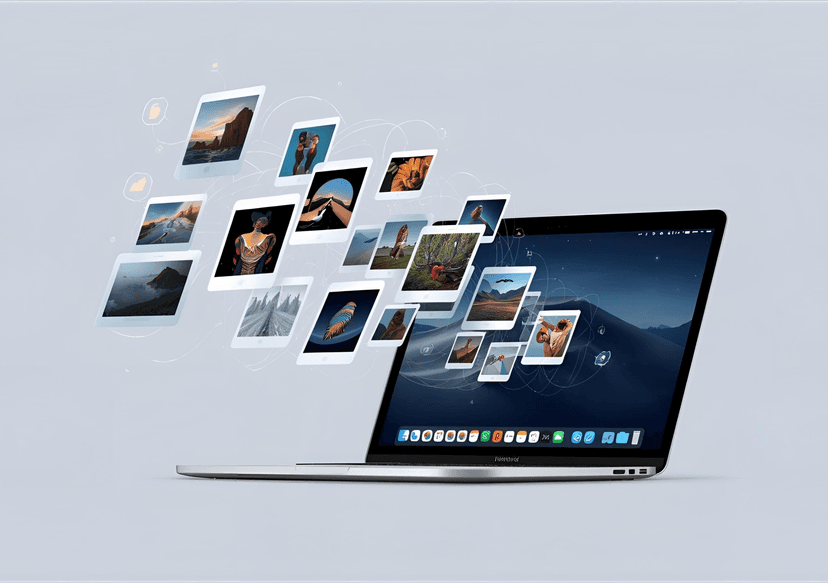
At the core of LifeFlix Library’s functionality is its AI-powered scanning and tagging system. Once you import your photos or videos, the software automatically identifies objects, locations, and people, assigning intelligent tags for quick reference.
Users can refine and personalize these tags, add descriptions, and group media into custom folders or collections. This deep integration of AI-assisted tagging and categorization means less manual sorting, and more time spent creating and enjoying your content.
Search and Retrieval
Finding your media is effortless. LifeFlix Library supports natural language queries, allowing you to search using simple phrases such as “photos from summer 2023” or “videos with family.” The system instantly retrieves relevant files, making organization and access faster than ever.
Importing and Exporting
Media transfers are fast and secure. With multi-file import and export options, even large projects move smoothly. Exports can be password-protected, adding an extra layer of data security.
The platform was built to be accessible for users of all levels - from beginners to professionals - backed by a responsive support team ready to help whenever needed.
2. User Interface
Layout
LifeFlix Library offers a clean, intuitive layout designed for ease of navigation. The LifeFlix team continues to refine the interface based on community feedback, ensuring ongoing improvements with each update.
Customization
Users can personalize their workspace by creating folders, editing thumbnails, adjusting colors, and managing file placements. LifeFlix Library also allows limited metadata editing, giving users greater control over file information and organization.
Accessibility
Access your content anytime, anywhere, on any device. While optimized for macOS, LifeFlix Library’s cloud-backed system ensures that your files are always available and securely stored. Automatic cloud backups protect your media, giving you peace of mind wherever you work.
3. Compatibility
Operating System
LifeFlix Library is developed exclusively for macOS, fully optimized for the latest operating systems to deliver a seamless user experience.
Cloud Integration
With full cloud integration, LifeFlix Library provides flexible backup and sync options, allowing users to copy or index existing files with ease.
Third-Party Integrations
Transfers between applications, platforms, and tools are simple and smooth. Designed as an enhanced alternative to Finder, LifeFlix Library functions as a centralized media hub - your single, connected solution for digital storage and organization.
4. Cost
We believe that powerful tools should also be accessible. That’s why Library by LifeFlix offers multiple pricing options tailored to different needs:
- Free Trial: Experience the full range of features before you decide.
- One-Time License ($99): A single purchase that includes updates for the current version.
- Annual Subscription ($49/year): Includes all future updates, improvements, and new features.
For professional or frequent users, the subscription model provides the best long-term value. Promotional discounts may also be available during limited-time offers.
5. Support and Troubleshooting
At LifeFlix, we understand that great products deserve great support. That’s why LifeFlix Library is backed by:
- A dedicated customer support team ready to assist
- An active online community and knowledge base
- Regular software updates and developer engagement
Few tools match LifeFlix Library’s combination of performance, stability, and customer care - all at a competitive price.
6. Reviews and Expert Opinions
As LifeFlix Library is a new release, public reviews are still growing. Early user feedback has been overwhelmingly positive, especially highlighting its AI tagging accuracy, ease of use, and macOS integration.
We encourage users to explore the free trial and experience the product firsthand. Additional expert reviews and detailed feature analyses from major tech publications are expected in the coming months as adoption grows.
7. Scalability: Built to Grow With You
LifeFlix Library isn’t just built for today - it’s built to evolve.
Drawing on our proven history with LifeFlix and LifeFlix AI, our development team remains committed to continuous updates, enhancements, and user-driven innovation.
In addition to powerful organizational tools, LifeFlix Library includes AI-assisted editing features that let users perform quick enhancements directly within the application - no third-party editing software required. It’s a true all-in-one media management platform, taking you from raw content to ready-to-share results in one streamlined workflow.
The LifeFlix Difference
Library by LifeFlix brings together intelligent automation, simplicity, and precision — creating a media management solution that is:
- Intuitive: Easy for beginners, powerful for professionals
- Secure: Backed by automatic cloud backups and password protection
- Innovative: Driven by AI and user feedback
- Affordable: Flexible pricing for all user levels
For photographers, videographers, and digital creators looking for a comprehensive, macOS-optimized media library, LifeFlix Library delivers exceptional value and performance.
We’re proud of what we’ve built — and even more excited about what’s coming next.
Experience LifeFlix Library today.
Try the free trial and see the difference for yourself.
Most Popular
Join Our LifeFlix Community
Enter Your Email Address to Sign Up for Exclusive Updates!
Own your
memories
forever
withLifeFlix!
Related Blogs

About Oraphaned Media On LifeFlix Library
Learn how LifeFlix Library prevents lost footage with its Orphaned Media system, ensuring your tape imports stay safe even after crashes or faults.
Read More ➜
Best Media Library for Mac: Why LifeFlix Library Leads in 2026
Discover why LifeFlix Library is the best media library software for Mac in 2026, with smart AI tagging, powerful imports, and modern macOS organizati...
Read More ➜